Causal Zap

Drive Mad

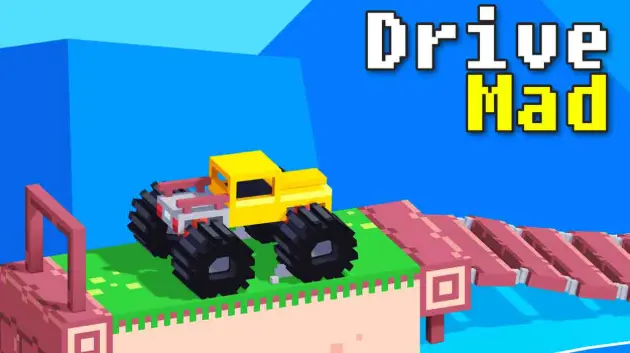
Drive Mad is a physics-based driving challenge where the track is designed to mess with your balance. You’re not racing for lap times—you’re trying to survive weird ramps, gaps, tilting platforms, and obstacles without flipping over or wrecking your vehicle. The car’s weight and suspension matter a lot, so tiny throttle changes can be the difference between a smooth landing and a crash. Many levels look simple at first, but the physics quickly punishes reckless speed: hit a bump too fast and your front end pops up; brake at the wrong time and you nose-dive into a gap. The fun comes from learning how the car reacts, staying calm, and finishing a level with a clean, controlled run. It’s easy to start, but it rewards patience and precise timing—especially when the track starts throwing surprise angles and awkward landings at you.
Racing Games Instant play
Drive Mad cover
Playing: Drive Mad

How to play

Controls

  • Desktop: use A/D or ←/→ to control drive direction and throttle (depending on the version).
  • Some versions use W/S (or ↑/↓) for throttle/brake—check the on-screen prompts.
  • Mobile/Tablet: tap/hold the on-screen buttons to accelerate or reverse.
  • Your main goal is stability—move smoothly and avoid sudden over-corrections.

Core rules

  • Finish the level by reaching the end without flipping or crashing.
  • Speed helps you clear gaps, but too much speed makes you bounce and lose control.
  • Landings are physics-driven: your angle and throttle timing decide whether you stick the landing.
  • If you flip, get stuck, or break the vehicle, you must restart the level.

Goal

Reach the finish line safely by managing speed, balance, and landing angles on each obstacle.

Tips & tricks

Feather the throttle on bumpy sections
If the track is full of small bumps or steps, avoid full acceleration. Use short taps/partial throttle so the car doesn’t pogo-bounce and flip unexpectedly.
Slow down before the edge, not after
If you’re approaching a gap or steep drop, reduce speed early so your car’s nose doesn’t dive. Braking at the last second often shifts weight forward and ruins the landing.
Use momentum only when you need it
On long jumps, you need enough speed to clear the gap—but for tight platforms, extra speed is a liability. Adjust your pace to the obstacle type: jump levels faster, balance levels slower.
Correct mid-air with gentle input
If your car tilts while airborne, small inputs can help align the landing. Over-correcting usually makes you land sideways or bounce into a flip.

Why it’s fun

  • It’s a satisfying physics puzzle disguised as a driving game—every obstacle teaches you a new way to control weight and momentum.
  • Quick restarts and short levels make the ‘one more try’ loop irresistible, especially when you finally nail a tricky landing.

FAQ

How do I play Drive Mad and what’s the objective?
Use keyboard controls (commonly A/D or arrow keys, depending on the version) or on-screen buttons on mobile to drive, reverse, and manage speed. The objective is to reach the finish of each level without flipping over or crashing.
Why do I keep flipping even when I’m not going that fast?
Flips often come from sudden weight shifts—hitting bumps at the wrong angle, braking too late, or over-correcting mid-air. Try smoother throttle control, slow down earlier before edges, and avoid sharp inputs right after landing.
What’s the best way to handle big jumps and gaps?
Approach with steady momentum, then ease off the throttle slightly right at takeoff to keep the nose level. If you accelerate hard at the edge, you may tilt backward; if you brake late, you may nose-dive.
How can I beat levels with narrow platforms or balance obstacles?
Go slower and prioritize stability. Use short throttle taps instead of holding acceleration, and keep your car aligned before committing to the next platform. On balance sections, patience is usually faster than repeated crashes.
Does Drive Mad have checkpoints or can I save progress?
Many versions don’t use mid-level checkpoints—if you crash or flip, you restart the level. The good news is levels are short, so quick retries are part of the gameplay loop.