Causal Zap

Tower Crash 3D

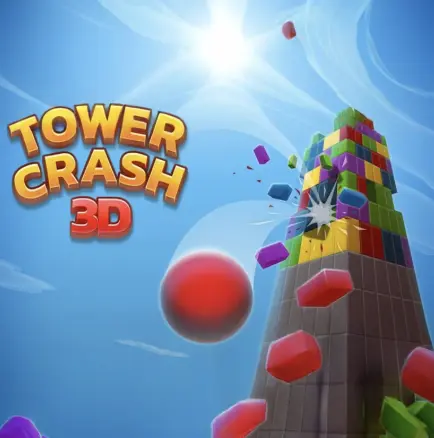
Tower Crash 3D is a satisfying destruction puzzle where your goal is to knock down tall, colorful block towers with as few shots as possible. Each level presents a different tower shape, and your job is to find the weak points—remove key blocks so the structure collapses under its own weight. It’s not just mindless shooting: a bad hit can leave a tower standing in an awkward shape that takes extra shots to finish, while a smart hit triggers a clean chain collapse. As levels progress, towers become taller, denser, and sometimes more stable, pushing you to think about physics, balance, and where the load is being held. The game is easy to play in short bursts, but it stays engaging because every tower feels like a small logic problem: one well-placed shot can save multiple moves and produce a satisfying, dramatic fall.
Puzzle Games Instant play
Tower Crash 3D cover
Playing: Tower Crash 3D

How to play

Controls

  • Desktop: aim with your mouse and click to shoot (or tap) blocks.
  • Mobile/Tablet: tap the tower to target blocks and fire.
  • Focus on removing support blocks, not random blocks—collapse beats chipping away.
  • If you have limited shots, plan your targets before firing.

Core rules

  • Hitting blocks removes or weakens parts of the tower depending on the game’s mechanics.
  • Gravity and balance determine how the remaining blocks fall and stack.
  • Many levels reward fewer shots or limit your total shots—wasting shots makes levels harder.
  • You clear the level when the tower is destroyed or reduced below the required threshold.

Goal

Destroy the tower efficiently by targeting weak points and causing chain collapses with minimal shots.

Tips & tricks

Aim at load-bearing supports first
Look for blocks that carry the tower’s weight—usually near the bottom or central columns. Removing a key support often collapses half the tower instantly.
Create a lean, then finish the collapse
If the tower won’t fall immediately, aim to tilt it. Once it starts leaning, one more shot at the new support side often triggers a full collapse.
Avoid shooting the top unless it’s unstable
Top blocks look tempting but often don’t change the structure. Only shoot high if it’s already wobbling or if removing a top block will break a bridge/connection.
Save shots for cleanup
Even a good collapse can leave a stubborn pillar. Keep at least one shot in reserve to finish off the last stable column instead of restarting.

Why it’s fun

  • It delivers instant satisfaction: one good shot can trigger a dramatic chain collapse that feels earned.
  • Short levels and physics-driven outcomes make it perfect for quick play—and addictive when you start optimizing for fewer shots.

FAQ

How do I play Tower Crash 3D?
Aim at the tower and shoot blocks by clicking (desktop) or tapping (mobile). Your goal is to destroy the tower by removing key blocks and triggering collapses, often with a limited number of shots.
What is the best strategy to beat levels with fewer shots?
Target load-bearing supports first—usually near the bottom or central structure. Instead of chipping away randomly, aim for shots that cause the tower to tilt and collapse under gravity.
Why does the tower sometimes stay standing even after several shots?
If you remove non-critical blocks, the tower can remain stable. Try shifting your aim to structural supports or creating a lean by removing blocks on one side so gravity can finish the job.
Should I shoot the top of the tower?
Usually no. Shooting the top often removes blocks without affecting stability. It’s better to break supports or connections. Shoot high only if the tower is already unstable or there’s a key bridge to break.
Can I play Tower Crash 3D on mobile?
Yes, many versions work in mobile browsers with tap-to-shoot controls. If you need more precision, desktop aiming can feel easier.